PDF Bank Statement to Excel, Balanced and Ready to Post
Upload a PDF bank statement, text or scanned, and download an Excel workbook with one clean row per transaction, a running balance column and a check row that proves the totals tie to the closing balance.
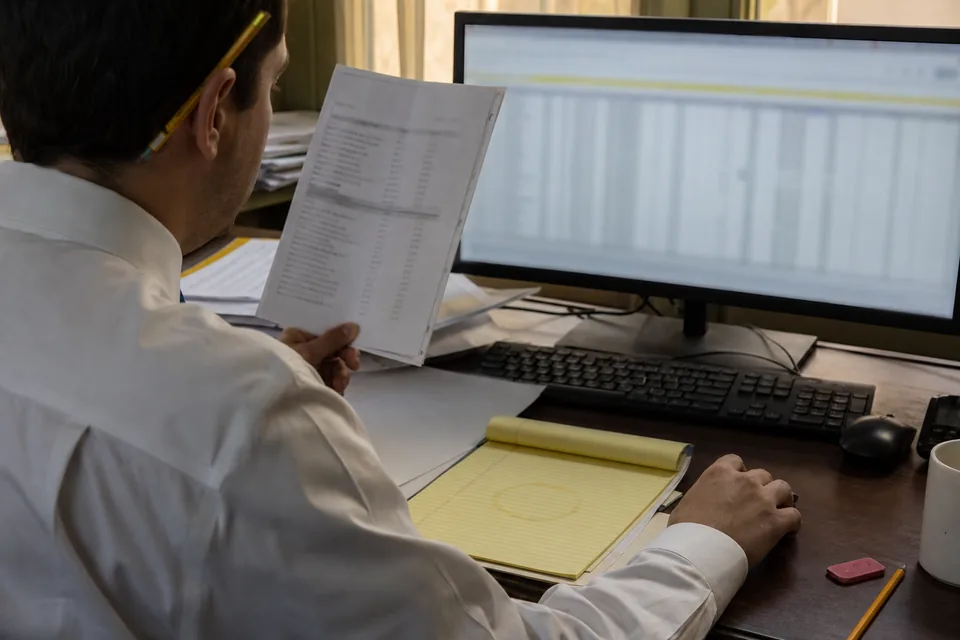
An Excel workbook built for reconciliation
Every export is a native XLSX file, not a pasted table, so dates are real Excel dates and amounts are real numbers you can sum, filter and pivot without cleanup.
- One sheet per account, named with the bank and the last four digits of the account number
- Columns for date, description, check number, debit, credit and running balance
- Multi-line descriptions merged into a single cell, so a wire memo never splits across rows
- A summary sheet listing every statement period with opening balance, total credits, total debits and closing balance
- A balance check row at the bottom of each sheet that shows the difference, which should read zero
- Optional signed amount column if your workpapers use one amount field instead of debit and credit
Statements that span many months
Drop twelve monthly PDFs for the same account and the workbook keeps one sheet for that account, sorted by date, with a period column so you can still filter back to a single statement. Statements from a second account land on their own sheet in the same file.
Convert a PDF statement to Excel in four steps
- Upload one PDF or a whole folder, including scans and phone photos of paper statements
- Let the converter read each page, find the transaction table and extract every row
- Review the table in the browser, with any page that fails the balance check highlighted
- Choose Excel as the output and download the workbook
Fix rows before they reach the spreadsheet
The table editor lets you correct a description, split a combined row, flip a sign or change a date before export. Undo works across every edit, so a fix never becomes a new problem.
Why the check row matters in Excel
Generic PDF to Excel tools hand you a grid and leave you to discover later that a row went missing on page three.
StatementsConverter takes the opening balance printed on the statement, adds every credit, subtracts every debit and compares the result with the printed closing balance.
In the workbook that test becomes a visible row with formulas you can audit, so a reviewer sees the same proof you saw in the browser.
When the figures disagree, the mismatch is flagged on the exact page and row range in the app, so you fix it once at the source instead of hunting through a reconciliation later.
The running balance column is recalculated from the extracted rows and compared with the balance the bank printed beside each line, which catches a swapped sign or a misread digit on the row where it happened.
Where the Excel file goes next
Most firms use the workbook as a working paper: tick and tie against the general ledger, build a cash proof, or hand a clean schedule to a tax preparer.
If the transactions need to go straight into an accounting app, an Excel sheet is rarely the best import route. Use a bank statement to CSV export for spreadsheet style uploads, or a QuickBooks file from the PDF to QBO converter when the client books live in QuickBooks.
The same upload can produce several outputs, so you can keep the workbook for the file and send a separate import file to the ledger without converting twice.
For card accounts with statement credits and payment rows, the credit card statement to Excel page explains how charges and payments are signed.
Formatting that survives review
Headers are frozen, amounts use a two decimal accounting format, and negative balances show in parentheses. Column widths are set so a printed sheet stays readable, and nothing in the file depends on macros.
Excel export on every plan
XLSX and CSV exports are included from Starter at 49 USD a month, or 24 USD a month billed yearly, with 400 pages a month and the balance check on every statement.
Larger batches, accounting import formats and categorization rules come with Professional and Business. See pricing for the full comparison.
Does it work with scanned PDF bank statements
Yes, scans and phone photos are read the same way as text PDFs, and the balance check runs on them too.
Can I get debit and credit in separate columns
Yes, separate debit and credit columns are the default, and a single signed amount column is available as an option.
Will each account get its own sheet in Excel
Yes, every account gets its own sheet, and statements from the same account are combined in date order.
What happens if the totals do not tie out
The mismatch is flagged on the page and rows where it occurs, and the check row in the workbook shows the difference.
Which banks are supported
Statements from any US bank or credit union work, because the converter reads the layout of each page instead of relying on a fixed bank template.
How long are my files kept
Uploaded files are deleted automatically after 24 hours by default, and they are never used to train models.
Convert a statement
Upload a PDF statement and see a balanced Excel table before you decide anything else.